Storage
Settings › Storage shows the Plan usage and what takes up space.
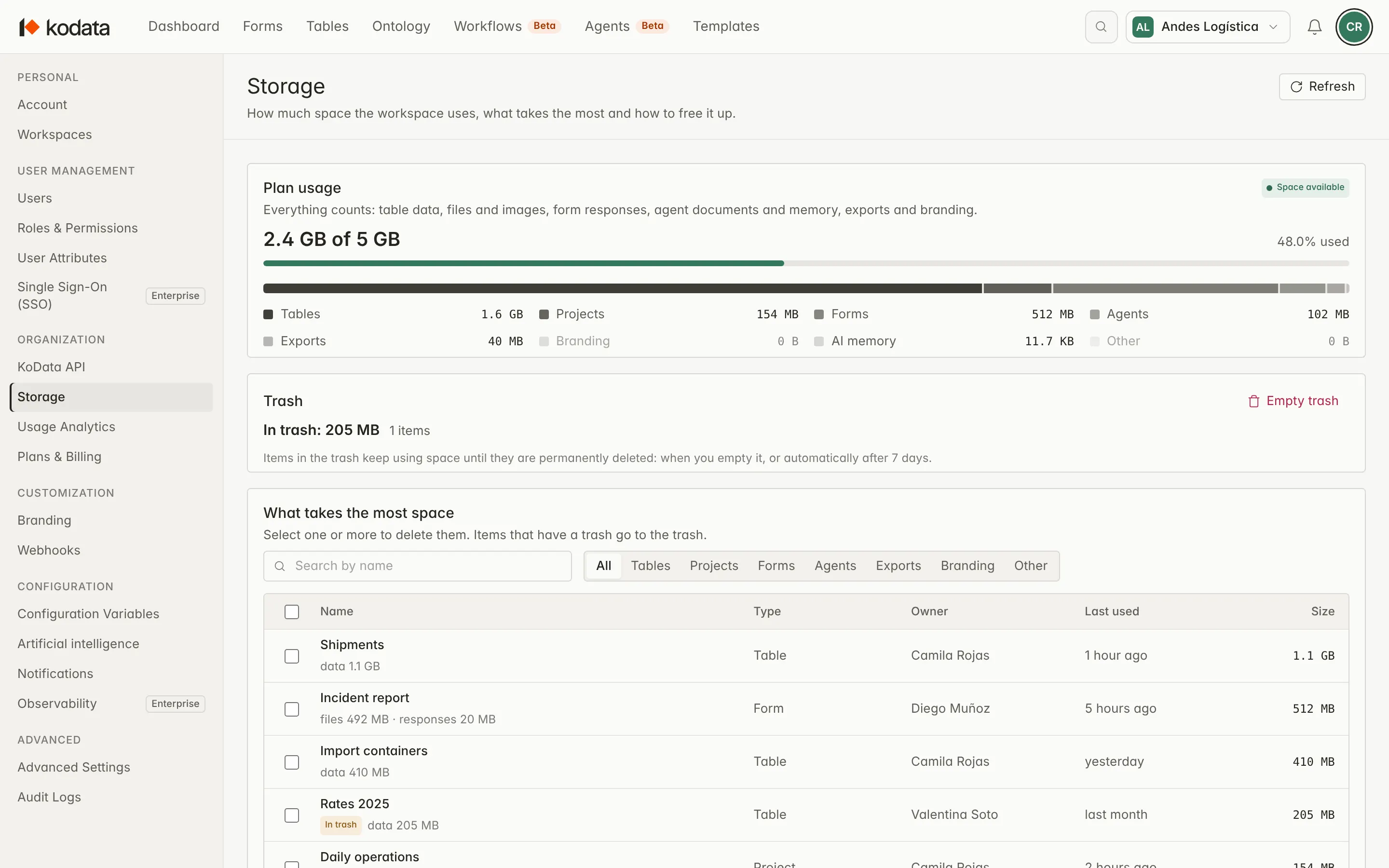
- By type: tables, files (from forms and dashboards), AI memory and others.
- What takes the most space: a list with name, type, owner, last use and size. Tick items and use Delete selected to free space (each deletion respects your permissions).
- Trash: deleted items keep taking space until they're permanently deleted: with Empty trash or automatically after a few days.
Included storage is 1 GB on Free, 5 GB on Team and 10 GB on Business. When it's full, no more rows can be written and no files uploaded, unless you authorized storage overage (the extra is billed).