Branding, subdomain and custom domain
Requirements: Team plan or higher (custom domain: Business). The workspace.branding.update permission; for the subdomain and domain, workspace.branding.change_domain (by default, Owner and Admin).
Open Settings › Branding.
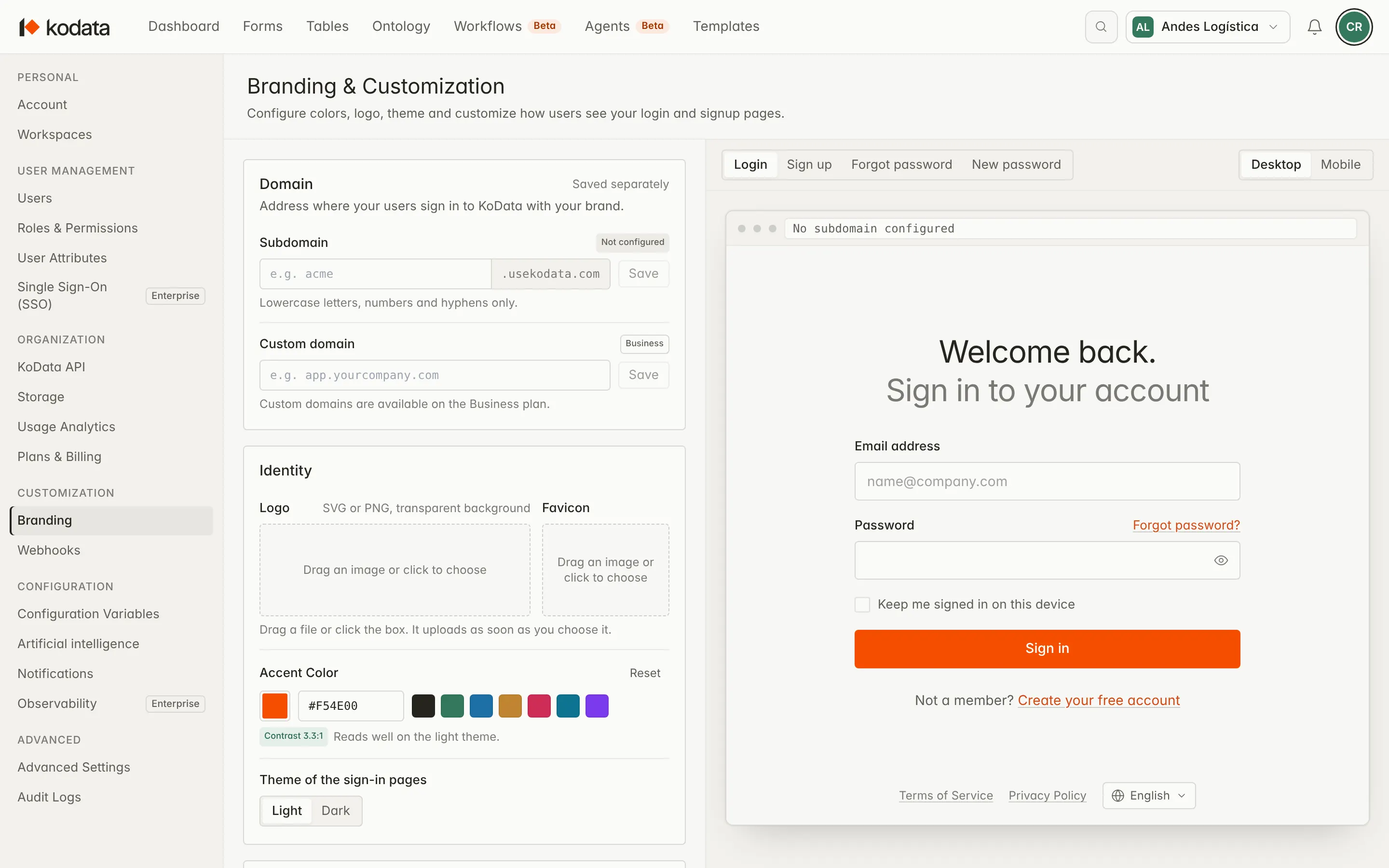
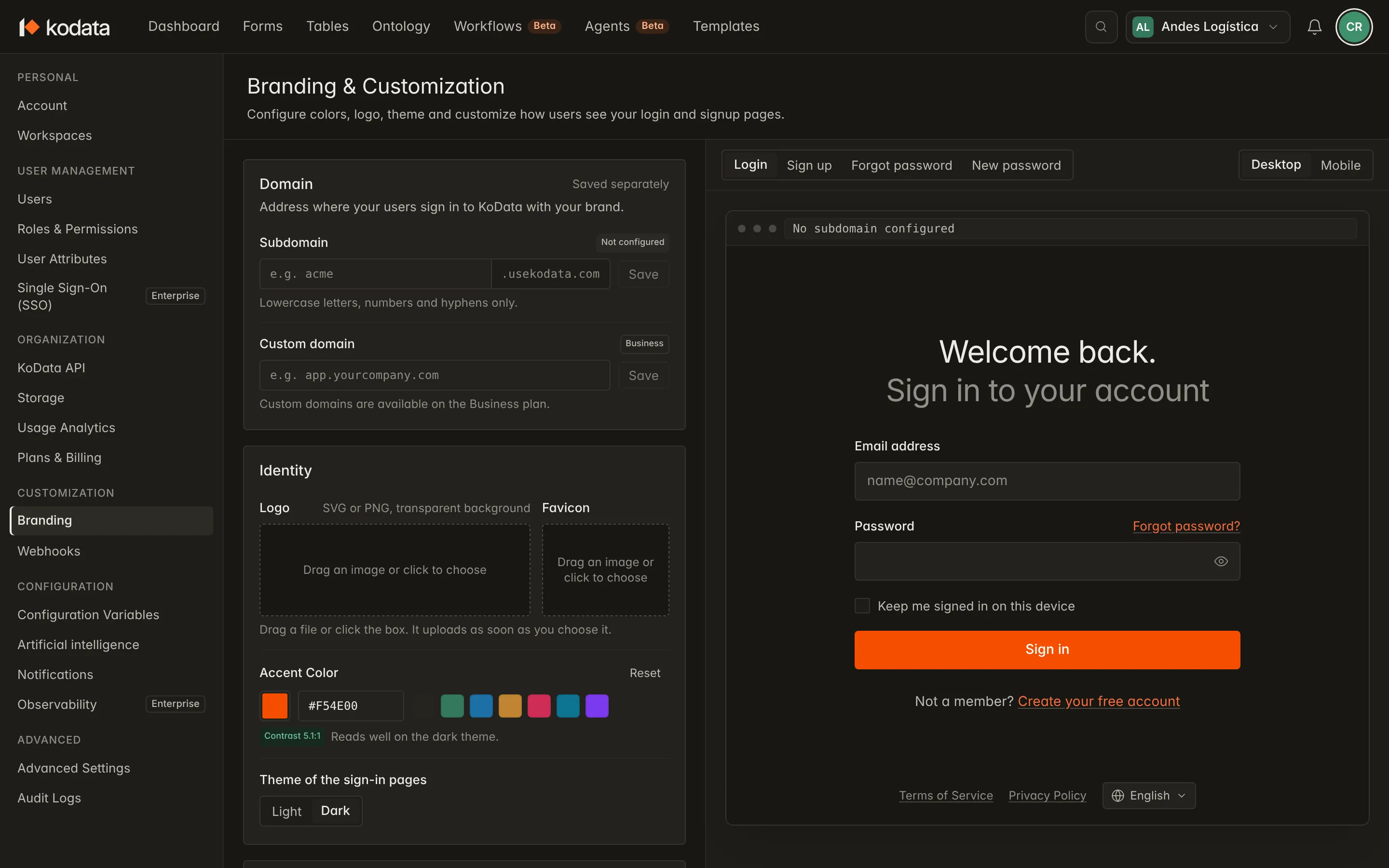
Domain
- Subdomain: your workspace's address (
<subdomain>.usekodata.com). Lowercase letters, numbers and hyphens only. Save (saved separately). - Custom domain (Business): type your domain, add the DNS record it shows (Type, Name, Value) and click Verify domain.
Identity
Logo (SVG or PNG with a transparent background), Favicon and Accent Color (KoData shows you the contrast). Theme of the sign-in pages: Light or Dark. The logo and favicon are saved when you upload them; the accent color and theme, with Save changes.
Sign-in pages
Customize the Texts (Title, Subtitle) of Login, Sign up, Forgot password and New password, and the Access options: "Create account" link and "Forgot password?" link (the Google and Microsoft buttons show as Soon). The Preview shows the result on Desktop or Mobile.
Click Save changes. Branding is used on your workspace's sign-in screen and on shared dashboards.