Workflows: the list and the editor
A workflow automates work: it starts with a trigger and continues with blocks that read, decide, write and notify. Workflows is in Beta.
Requirements: opening workflows needs the workflow.open permission (workflow.open); creating them, anyone with the workflow.create permission (workflow.create), and editing them, workflow.update. Scheduled, webhook and event triggers need the Team plan or higher.
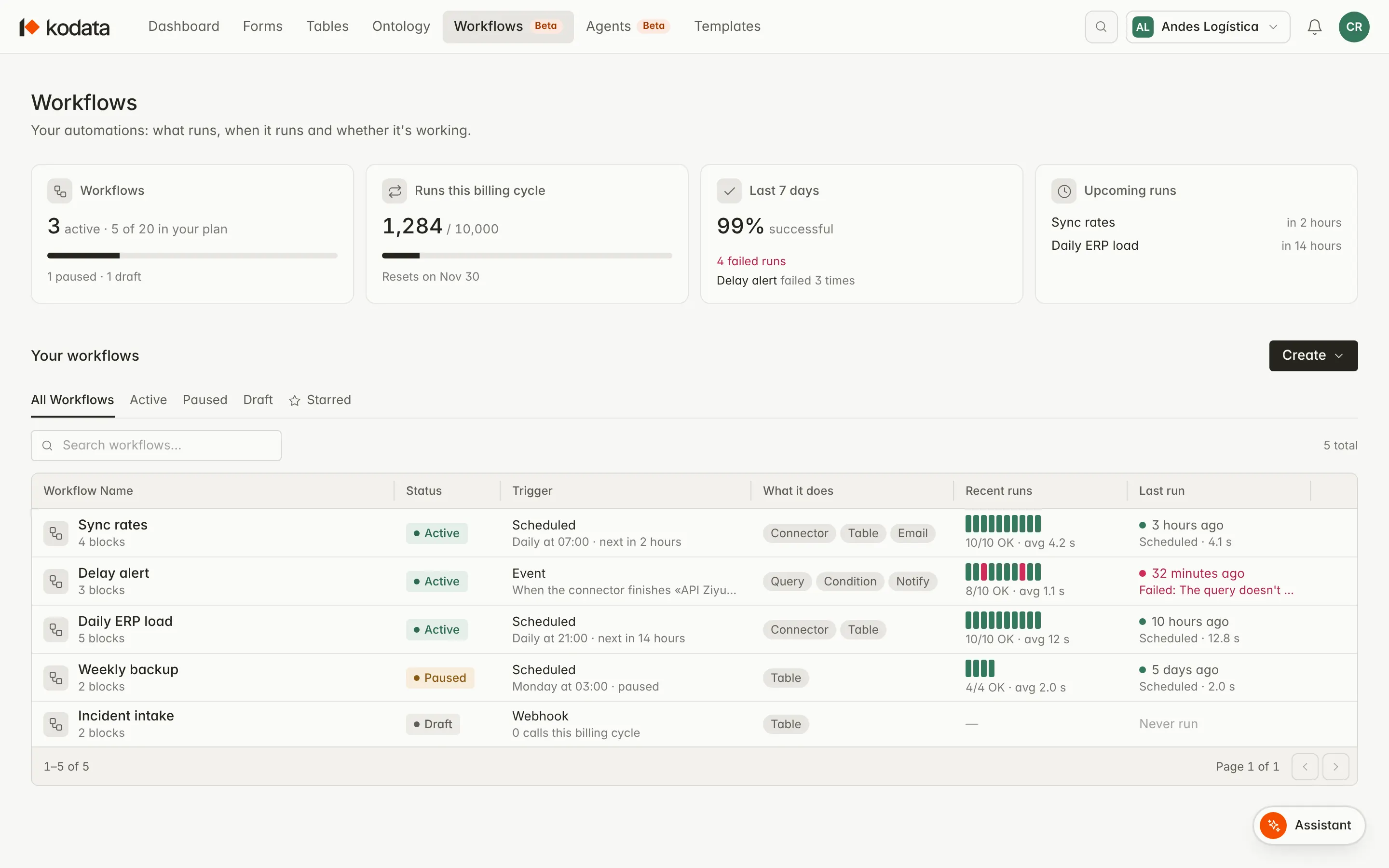
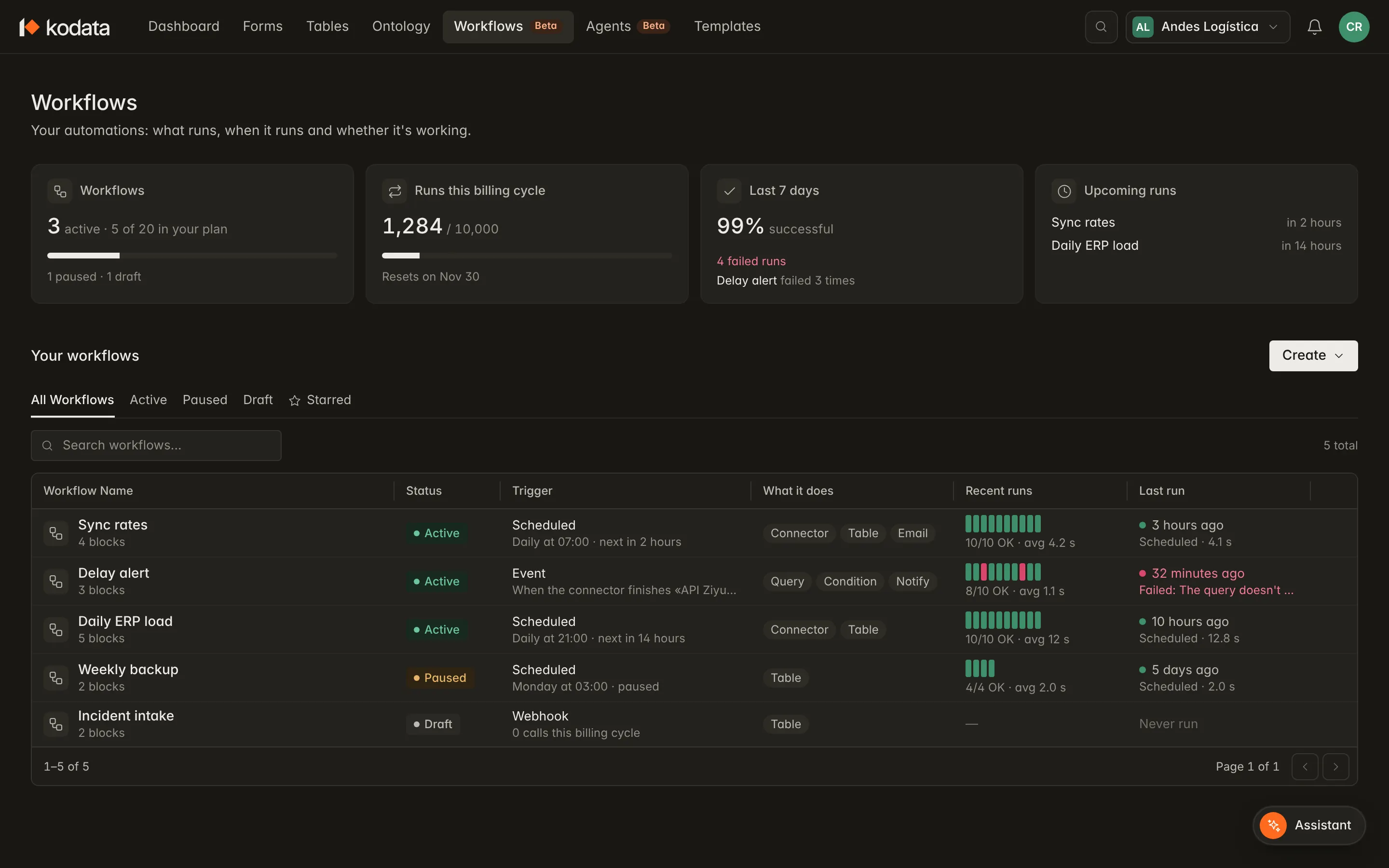
The list
- In the main menu, click Workflows.
- At the top you see the run summary. Under Your workflows each row shows status, trigger, what it does, recent runs and the last run.
- Filter with All Workflows, Active, Paused, Draft, Starred or Trash.
- Create offers New Workflow, Receive data by webhook, Build with AI and From a template.
The editor
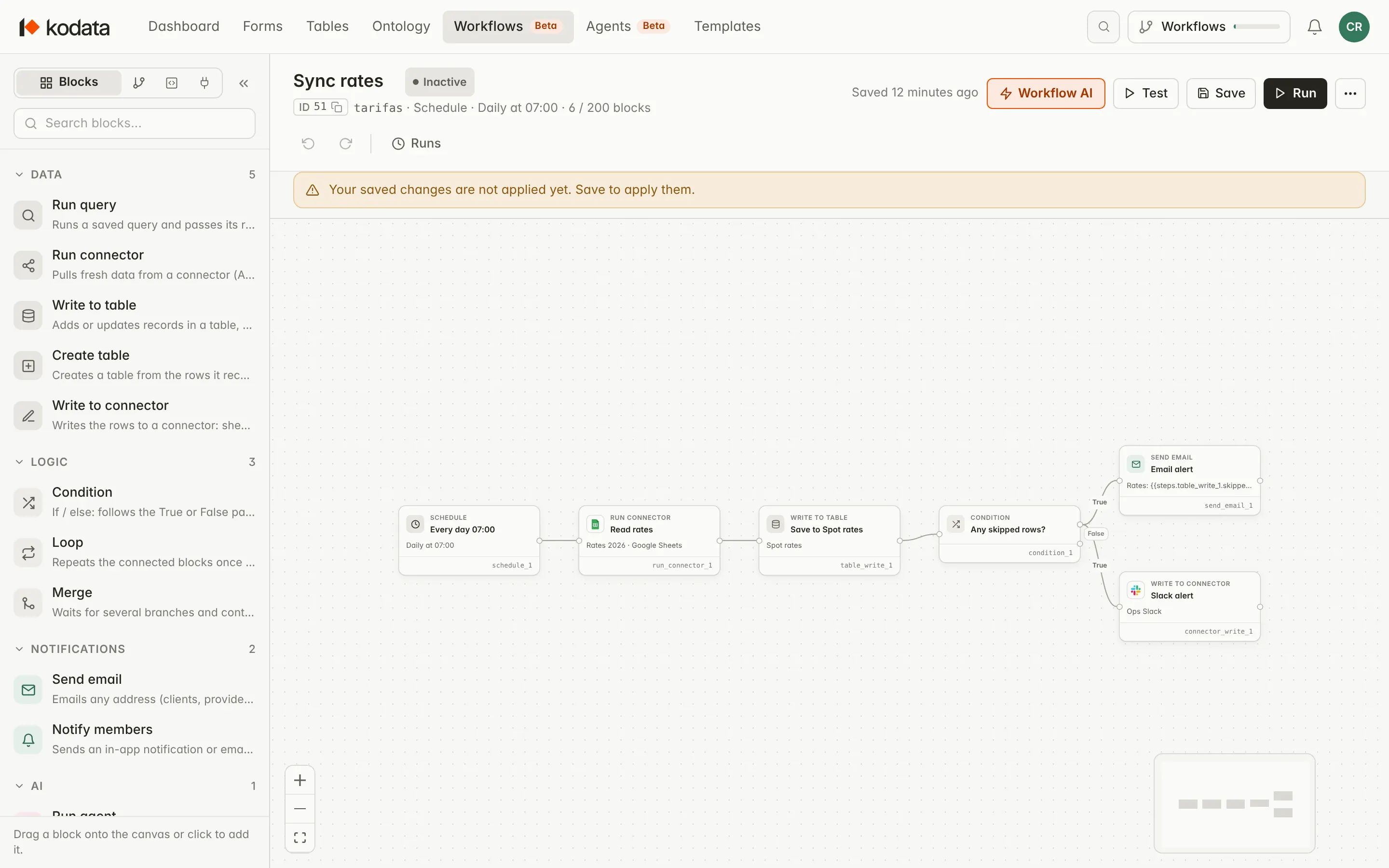
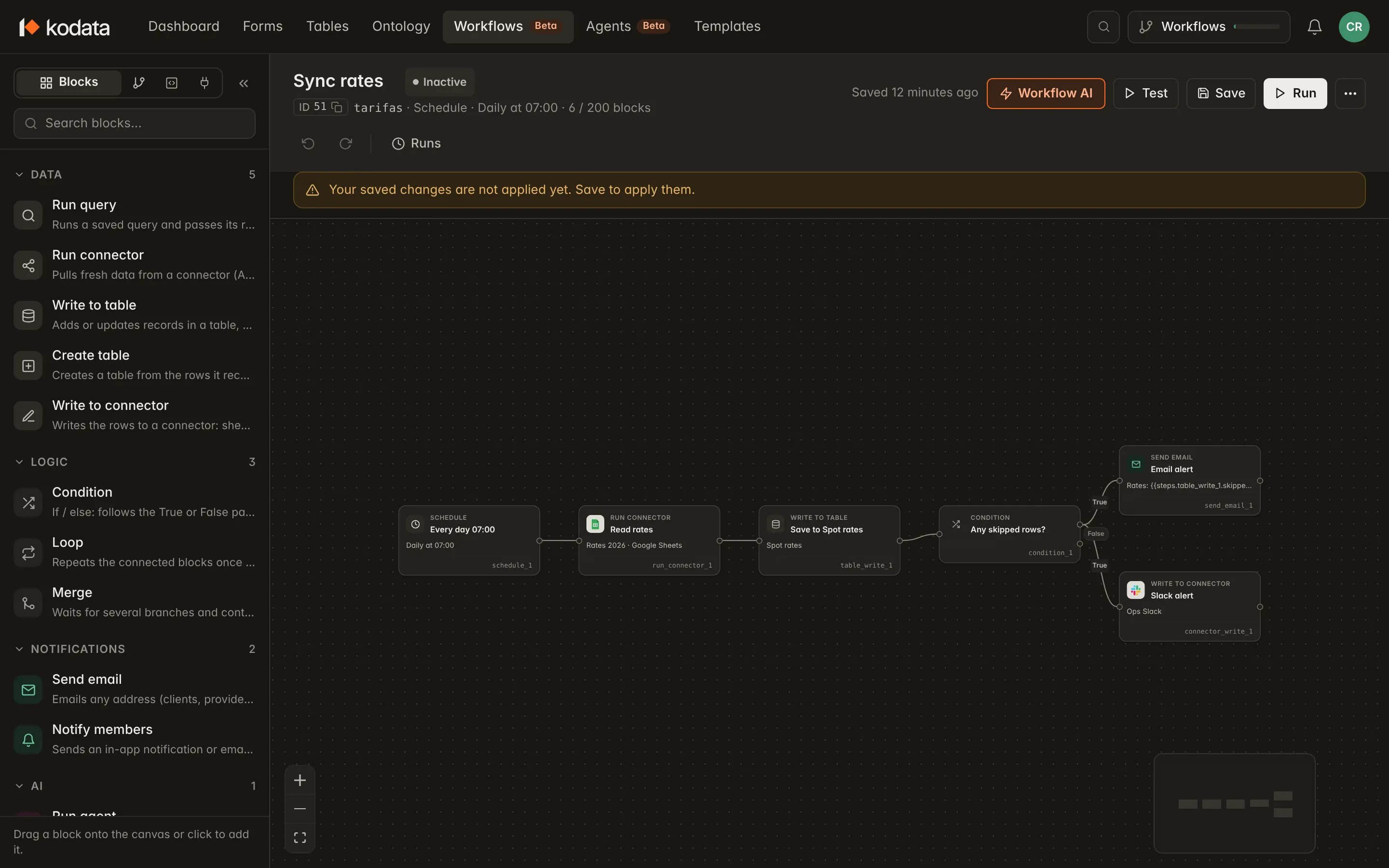
| Area | What it has |
|---|---|
| Left bar | Blocks (with Search blocks...), your workflows, and the query and connector panels. Each workflow's ⋯ menu has Run now, Activate / Pause, Rename workflow, Duplicate workflow and Delete workflow. |
| Header | Name (click to rename), status, ID, slug, trigger and blocks used. Workflow AI, Test, Save (Ctrl+S), Run and More actions. |
| Canvas | The connected blocks. Drag from one block's output to another's input. Undo (Ctrl+Z) and redo (Ctrl+Y). |
| Block panel | Settings, Input, Output and Advanced of the selected block. |
| Runs | The runs, with their steps and logs. |