Fields, pages, logic and validation
Field types
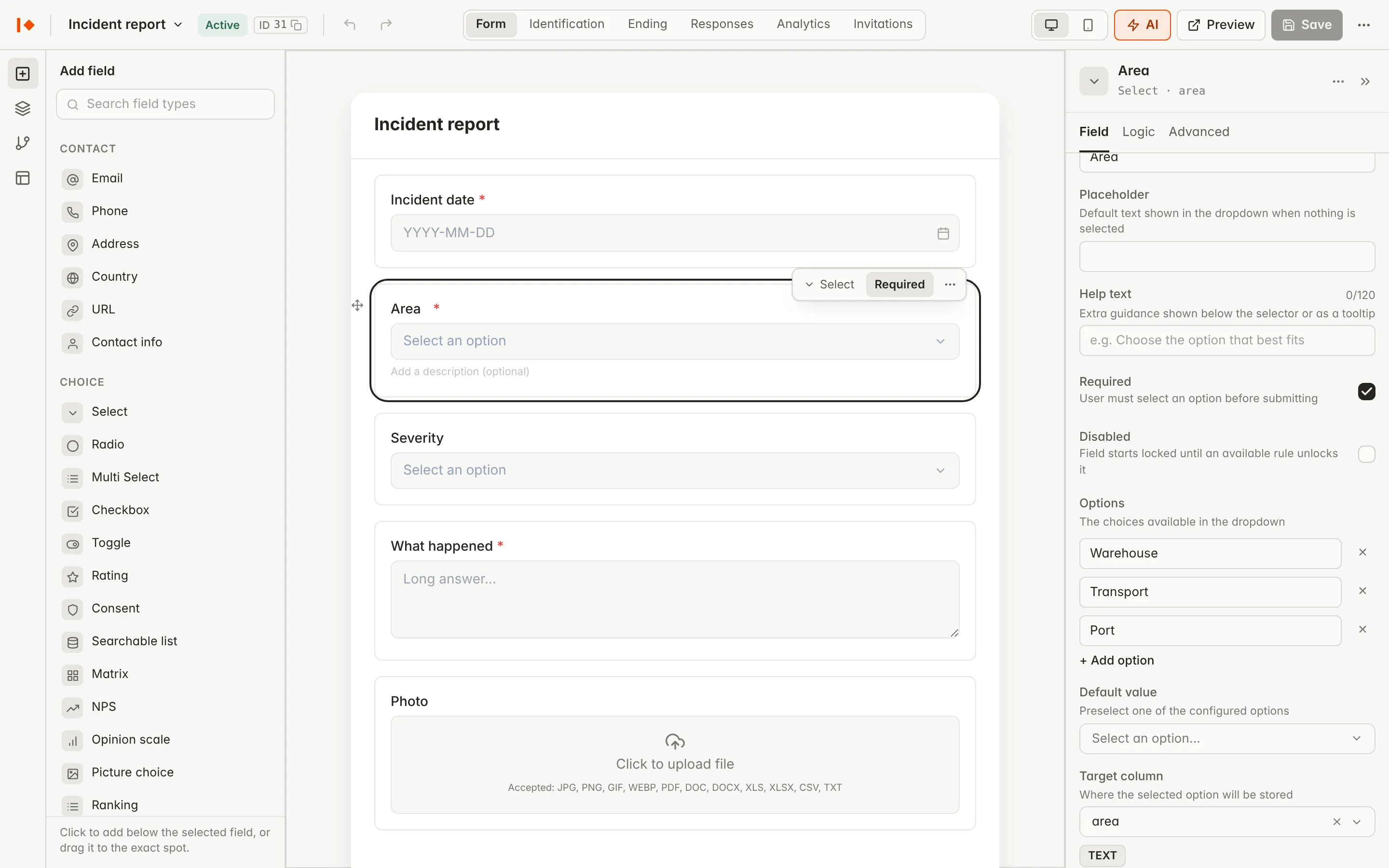
In Add field (with Search field types) the types are in groups: Contact (Email, Phone, Address, Country, URL, Contact info), Choice (Select, Radio, Multi Select, Checkbox, Toggle, Rating, Yes / No, Consent, Searchable list, Matrix, NPS, Opinion scale, Ranking, Picture choice), Text (Text, Textarea), Number and date (Number, Slider, Date, Date Range, Time), Advanced (File, Signature, Calculated, Color, Hidden field) and Layout (Divider, New page, Statement, Image or video).
Click a type to add it below the selected field, or drag it to the exact spot.
Edit a field
Click the field. The inspector has three tabs:
| Tab | What you set |
|---|---|
| Field | The question, help text, Required, options, default value, validations (Advanced validation: length, format, unique value…) and the Target column in the table. |
| Logic | Show or hide the field based on other answers. |
| Advanced | Hide field, Convert to another type, Column span and Field ID (Slug). |
Calculated fields
A Calculated field uses other fields by slug: {{monto}} * 1.19. Pick the result type and whether it's shown to the respondent.
Pages
Add page splits the form into steps. In Form settings › Form › Presentation you choose whether everything shows at once, page by page or one question at a time.
Logic
The Logic panel (left bar) shows every rule: Per-field rules (visibility) and jumps between pages.